4 Call Recording Tools For Capturing Phone Conversations
Capturing phone conversations has become increasingly important for businesses, journalists, researchers, and even individuals who need accurate records of important discussions. Whether it is for training purposes, legal documentation, customer support quality assurance, or personal reference, the right call recording tool can make a significant difference. With a wide range of solutions available, selecting the most suitable one depends on features, compatibility, ease of use, and compliance with local regulations.
TLDR: Call recording tools allow users to accurately capture and store phone conversations for business, legal, or personal purposes. The best tools offer secure storage, high-quality audio, transcription options, and compliance features. This article reviews four reliable call recording solutions and outlines their strengths. It also includes a helpful FAQ section to address common questions about legality, storage, and best practices.
Why Call Recording Tools Matter
Table of Contents
Many organizations rely on recorded phone calls to improve performance and maintain accountability. Customer service teams use recordings to review interactions and refine communication strategies. Sales departments analyze conversations to improve pitch techniques. Legal professionals may require verbal agreements to be documented accurately.
In addition to professional uses, individuals often record calls for interviews, dispute resolution, or documentation of verbal commitments. However, it is always critical to understand applicable call recording laws, as regulations vary by country and region.
Key benefits of using call recording tools include:
- Accurate documentation of conversations
- Improved employee training and evaluation
- Enhanced customer experience analysis
- Secure storage for compliance purposes
- Optional transcription for easier review
1. Rev Call Recorder
Rev Call Recorder is a popular option for individuals and professionals seeking reliable recording with integrated transcription services. It is particularly favored by journalists, podcasters, and content creators.
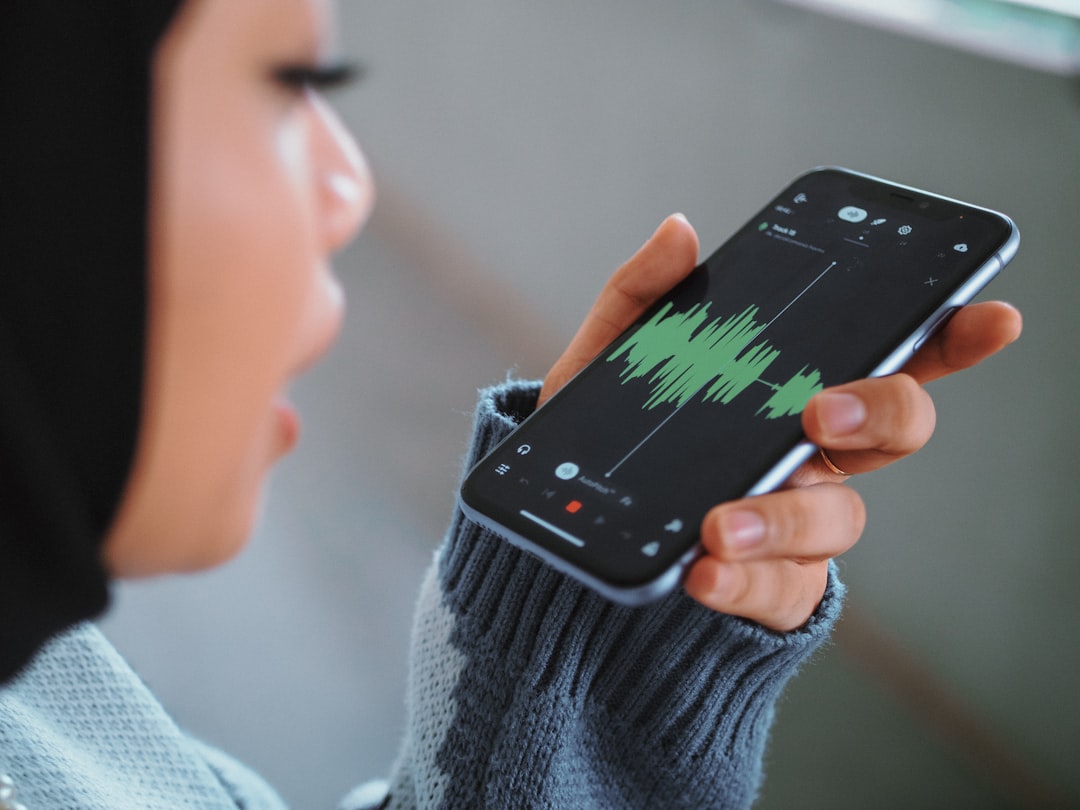
Main Features:
- Free call recording on compatible devices
- High-quality audio capture
- Optional paid transcription services
- Simple user interface
Rev Call Recorder excels in ease of use. Users can quickly initiate recordings without technical setup complications. The recorded files can be reviewed, downloaded, or shared as needed.
Pros:
- User-friendly design
- Reliable recording quality
- Affordable transcription services
Cons:
- Limited to certain devices and operating systems
- Requires internet connectivity for some features
This tool works well for individuals who need quick results without managing complex enterprise systems.
2. TapeACall
TapeACall is another widely recognized call recording app designed for mobile users. It supports recording of both incoming and outgoing calls and offers cloud-based storage solutions.
Main Features:
- Unlimited recording with paid plans
- Cloud storage integration
- Easy sharing options
- Clear audio playback controls
TapeACall is appreciated for its flexibility. It allows recordings to be shared via email, messaging platforms, or cloud drives. Users often select it for business calls or extended conversations requiring secure backup access.
Pros:
- Unlimited recordings
- Strong sharing capabilities
- Reliable cloud storage
Cons:
- Subscription costs may be high for some users
- May require merging calls depending on carrier
For professionals handling frequent calls, TapeACall provides a robust and dependable solution.
3. Cube Call Recorder
Cube Call Recorder is known for its compatibility with both traditional phone calls and various VoIP services. It is especially valuable in environments where communication happens across multiple platforms.

Main Features:
- Records regular phone calls and VoIP conversations
- Cloud backup options
- Security lock for recordings
- Automatic call recording settings
One of Cube Call Recorder’s strongest features is its automatic recording functionality. Users can set it to record selected contacts automatically, minimizing manual steps. Additionally, it offers enhanced security protections, such as PIN locks for added privacy.
Pros:
- VoIP compatibility
- Customizable settings
- Built-in security features
Cons:
- Some advanced features require premium upgrade
- Performance may depend on device model
This tool is well-suited for businesses and remote teams that rely heavily on multiple communication platforms.
4. Automatic Call Recorder Pro
Automatic Call Recorder Pro is designed for users seeking straightforward, automated call capture on mobile devices. It offers organizational tools that help categorize recordings effectively.
Main Features:
- Automatic call recording
- Categorization by date and contact
- Cloud backup support
- Password protection options
This tool stands out for its file management capabilities. Users can tag important calls, archive older files, and filter recordings for easier retrieval. For business professionals who manage multiple daily calls, structured organization is highly valuable.
Pros:
- Organized file management
- Simple interface
- Customizable storage settings
Cons:
- May include ads in free versions
- Compatibility limitations on newer operating systems
Automatic Call Recorder Pro is particularly useful for individuals who value automation and structured archiving.
Important Legal Considerations
Before using any call recording tool, users must understand local regulations. Some regions require one-party consent, meaning only one participant in the conversation needs to agree to recording. Other areas require two-party consent, where all participants must be informed and provide permission.

Failure to comply with these laws can result in legal consequences. Businesses should consult legal professionals to ensure compliance and consider adding automated call disclosures to inform participants of recording practices.
Key Factors to Consider When Choosing a Call Recording Tool
When selecting a call recording solution, several critical factors should be evaluated:
- Compatibility: Ensure the tool works with the device and operating system in use.
- Audio Quality: Clear recordings are essential for accurate review and transcription.
- Storage Options: Cloud and local storage flexibility enhances access and security.
- Security Features: Encryption and password protection safeguard sensitive information.
- Transcription Services: Automated or human transcription saves time when reviewing long conversations.
- Ease of Use: Intuitive interfaces reduce setup time and minimize errors.
By carefully assessing these factors, users can select a tool that aligns with their recording demands and legal obligations.
Best Practices for Using Call Recording Software
Using call recording tools effectively requires more than simply pressing the record button. Professionals follow structured practices to ensure ethical and productive use.
- Always obtain proper consent before recording.
- Store recordings securely using encrypted platforms.
- Regularly back up important files.
- Periodically delete outdated recordings to reduce storage risks.
- Inform team members about company recording policies.
Implementing these best practices helps ensure recordings remain useful, secure, and legally compliant.
Frequently Asked Questions (FAQ)
1. Is it legal to record phone conversations?
The legality depends on local laws. Some regions allow one-party consent, while others require all participants to agree. It is essential to research regional regulations before recording any call.
2. Can call recordings be used in court?
In many cases, recorded calls can be admissible as evidence if they were obtained legally. Illegally recorded conversations may be rejected and could lead to penalties.
3. Do call recording apps affect call quality?
High-quality apps are designed to maintain clear audio capture without interfering significantly with call clarity. However, performance may depend on device compatibility and network stability.
4. Are recorded calls stored securely?
Most reputable tools offer encryption, password protection, and cloud storage options. Users should choose apps with strong security features, especially when handling sensitive data.
5. Can recordings be transcribed automatically?
Many call recording tools offer built-in transcription services, either automated or manual. Automated transcription is faster, while human transcription often provides higher accuracy.
6. How much storage space do recordings require?
Storage requirements depend on audio quality and call length. Compressed audio files typically use minimal space, but frequent recordings may require expanded cloud or local storage.
7. What is the best tool for business use?
The best tool depends on specific needs. Businesses that rely on VoIP platforms may prefer Cube Call Recorder, while mobile professionals might select TapeACall for unlimited recording and sharing capabilities.
Choosing the right call recording tool requires balancing functionality, legal compliance, and ease of use. By understanding available features and applying best practices, users can confidently capture important phone conversations while maintaining professionalism and security.