Most Reliable Logo Generators for Online Course Creators Building Authority and Course Recognition
In the fast-paced world of digital education, *first impressions matter more than ever*. Whether you’re launching your first online course or expanding your existing e-learning empire, a strong brand identity is key to building trust and recognition. A well-designed logo plays a pivotal role in this equation—communicating your course’s focus, professionalism, and value at a glance.
TL;DR:
Table of Contents
If you’re an online course creator looking to establish authority and brand recognition, your logo is crucial. There are several reliable logo generators that offer customization, scalability, and ease of use without needing a background in design. Top picks include Canva, Looka, and BrandCrowd for their balance of aesthetics, affordability, and branding tools. Choose a platform that matches your design needs and integrates seamlessly with your workflow.
Why Your Logo Matters as an Online Course Creator
*Your logo is your digital handshake*. It’s the icon students will associate with the lessons you teach and the value you provide. A great logo can:
- Build trust with potential students
- Establish credibility in a competitive space
- Help you stand out on platforms like Teachable, Thinkific, or Udemy
- Create consistency across email campaigns, course materials, and social media
However, not every course creator has time (or budget) to hire a professional designer. That’s where *reliable logo generators* come in—they provide accessible, affordable, and often AI-enhanced tools to create a professional logo within minutes.
Top Reliable Logo Generators for Course Creators
1. Canva Logo Maker
Best for: Course creators who want full creative control and a suite of branding tools.
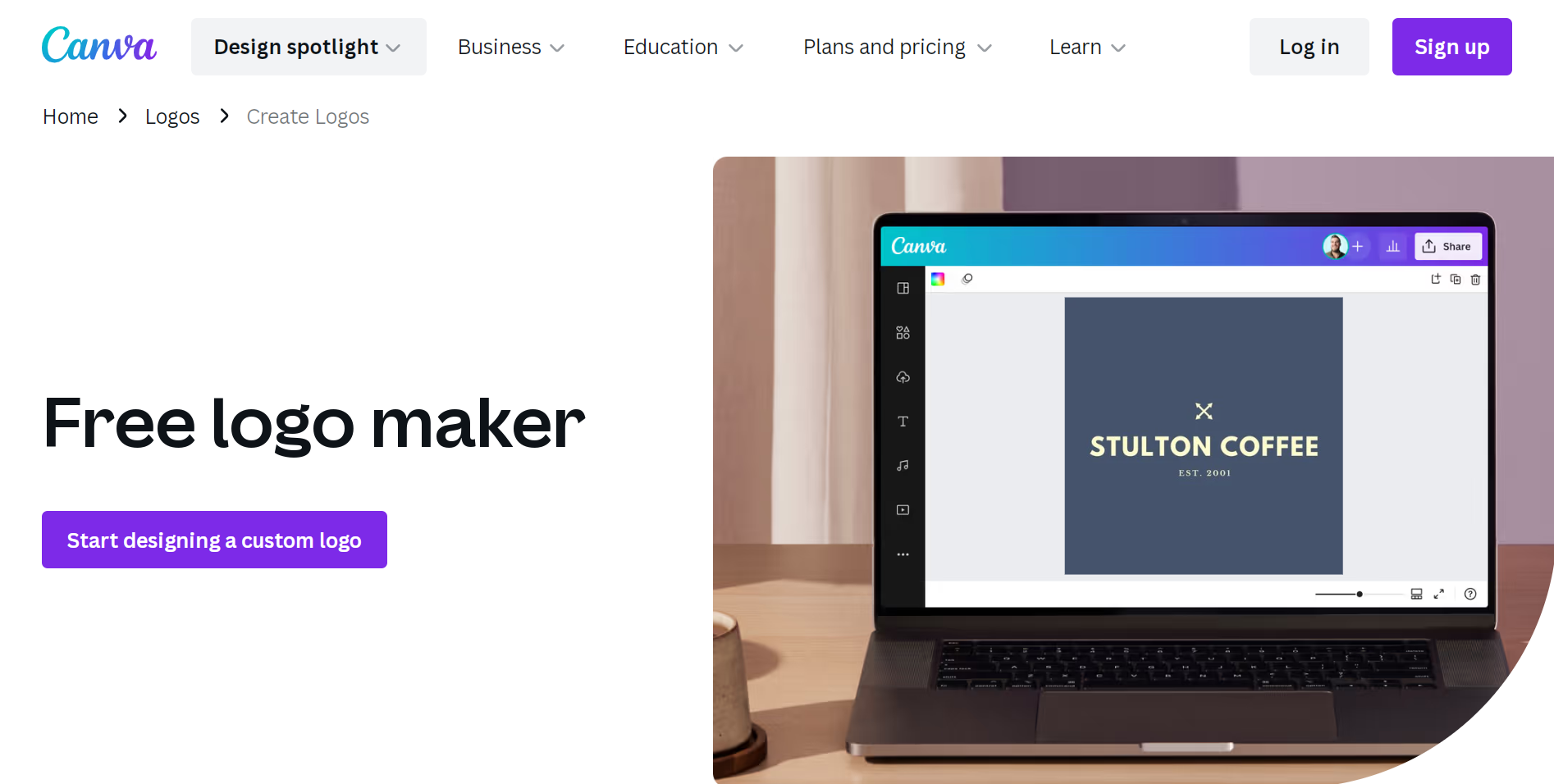
Canva has rapidly become the go-to design platform for non-designers, and their logo maker is no exception. With thousands of customizable templates, fonts, and icons, you don’t need to be a graphic design expert to create something eye-catching. What’s more, Canva allows you to apply your new logo directly onto online course graphics like banners, thumbnails, and social media posts.
- Extensive library of templates and design assets
- Drag-and-drop interface
- Canva Pro lets you save brand kits and transparent PNGs
2. Looka
Best for: Logo design combined with full branding packages (e.g., business cards, social kits).
Looka stands out by blending AI-driven design with customization. Answer a few questions about your brand’s style, select some preferences, and Let Looka generate unique logo options tailored to your answers. Despite its automation, you still get ample room to tweak colors, layouts, and icons.
- AI-generated logo designs based on your preferences
- Includes downloadable brand kits for cohesive branding
- Great for those looking to scale a personal brand
*Tip:* Use Looka to generate logos before choosing your course platform and ensure the branding aligns across your entire online presence.
3. BrandCrowd
Best for: A wide selection of industry-specific logo designs, particularly in education and coaching.
BrandCrowd offers thousands of pre-made logos tailored to specific niches, including educators and course creators. You can easily filter by style—retro, minimalist, bold—and then customize with your brand name and colors. For those who want rapid results without sacrificing quality, this is an excellent pick.
- Category-based templates ideal for niche-specific branding
- Animation tool available for logos
- Automatic social media content creation
4. Tailor Brands
Best for: Entrepreneurs growing their e-learning brand into a business empire.
Tailor Brands is more than just a logo generator—it’s a comprehensive brand-building platform. After creating your logo, you can create a website, form an LLC, or manage social media tools all in one place. This is ideal if your online course is part of a larger business strategy.
- Focus on long-term branding beyond just logo creation
- AI-powered interface with high customization
- Professional-grade outputs for multiple formats
5. LogoMakr
Best for: Budget-conscious creators who want design simplicity.
If you’re looking for a minimalist logo-making experience, LogoMakr is user-friendly and totally free for basic use. The interface might not be as polished as Canva’s, but its flexibility in icon placement, fonts, and color makes it a solid tool for beginners. While you may need to pay for high-resolution logo files, the small investment pays off with polished results.
- Simple drag-and-drop editor
- Free download for low-resolution logos
- Affordable rates for full-quality files
What to Look for in a Logo Generator as a Course Creator
The best tool for you depends on your goals, how much you’re willing to spend, and whether a logo is your only requirement. Here are a few key features to prioritize:
- Customization: Can you adjust fonts, icons, spacing, and layout?
- Scalability: Is the logo high-res enough to use on various platforms?
- Brand Kit Integration: Can the tool unify your colors and fonts across designs?
- User Experience: Does the platform make editing easy enough for non-designers?
- Pricing: Are the costs transparent for both initial download and future edits?
Remember that your logo may appear in places like:
- Course homepage and emails
- PDF course materials and guides
- Social media posts and ads
- YouTube thumbnails or training videos
- Certificates of completion
So, making sure your logo looks professional and adapts to all these formats is essential.
Should You DIY or Hire a Designer?
While logo generators are the perfect starting point, there are scenarios where hiring a branding expert might be a better choice—especially if you’re dealing with multiple courses or positioning yourself as a thought leader in a niche market. That said, many course creators successfully launch their programs with DIY branding using generators and fine-tune their logos later as the business grows.
In most cases, starting with a generator provides speed and financial flexibility that’s ideal for solopreneurs and small businesses.
Tips for Making the Most of Your Logo Generator
- Know your audience: Your brand colors and fonts should align with your target demographic, whether it’s corporate professionals or creative freelancers.
- Keep it simple: A cluttered design won’t scale well on small screens or mobile banners.
- Be consistent: Use your new logo across all platforms to reinforce course recognition.
- Preview in context: Most generators let you see your logo on mockups. Use this to envision real-world applications.
- Save editable files: Platforms like Canva and Looka let you revisit and tweak designs later—ideal for brand evolution.
Final Thoughts
Designing a great logo doesn’t have to be expensive or overly technical. With the right logo generator, online course creators can *effortlessly craft a strong visual identity* that enhances trust, boosts recognition, and paves the way for scaling their personal or business brand.
Whether you’re creating your first course or expanding your course catalog, investing time in your logo design will pay dividends in learner confidence, brand trust, and ultimately—student enrollment. Choose the tool that best aligns with your creative needs, and start building your visual empire today.