Favourite 4 No-Code Spreadsheet→App Builders (Glide, AppSheet, Sheet2Site, Softr) That Small Biz Owners Use to Turn Inventory Sheets Into Customer-Facing Apps
For small business owners juggling limited time, money, and tech skills, manually managing inventory data through spreadsheets can be overwhelming and inefficient. Thankfully, a variety of no-code platforms now exist to effortlessly turn simple spreadsheets into beautiful, interactive web or mobile apps. These tools have become particularly popular for small businesses looking to deliver real-time, customer-facing experiences without writing a single line of code.
TL;DR
Table of Contents
Small business owners are increasingly relying on no-code platforms like Glide, AppSheet, Sheet2Site, and Softr to transform inventory spreadsheets into polished, customer-facing applications. These tools allow entrepreneurs to create apps quickly with drag-and-drop interfaces and real-time sync to Google Sheets or Airtable. With minimal learning curves and customizable templates, small businesses can build product catalogs, booking systems, and client portals without technical help. Read on to explore each of these platforms in detail.
Why No-Code Spreadsheet→App Builders Are a Game-Changer
Traditional app development often demands time, coding expertise, and significant budgeting. For a small business owner maintaining an up-to-date inventory, these resources are rarely accessible. But with the rise of no-code solutions, that bottleneck is disappearing.
Using platforms like Glide or AppSheet, entrepreneurs can connect a Google Sheet or Airtable base and instantly generate a dynamic app. Whether it’s a bakery tracking live product availability or a boutique salon offering appointment slots via app, these tools empower users to go fully digital within hours.
Top 4 No-Code Platforms That Turn Spreadsheets Into Stunning Customer Apps
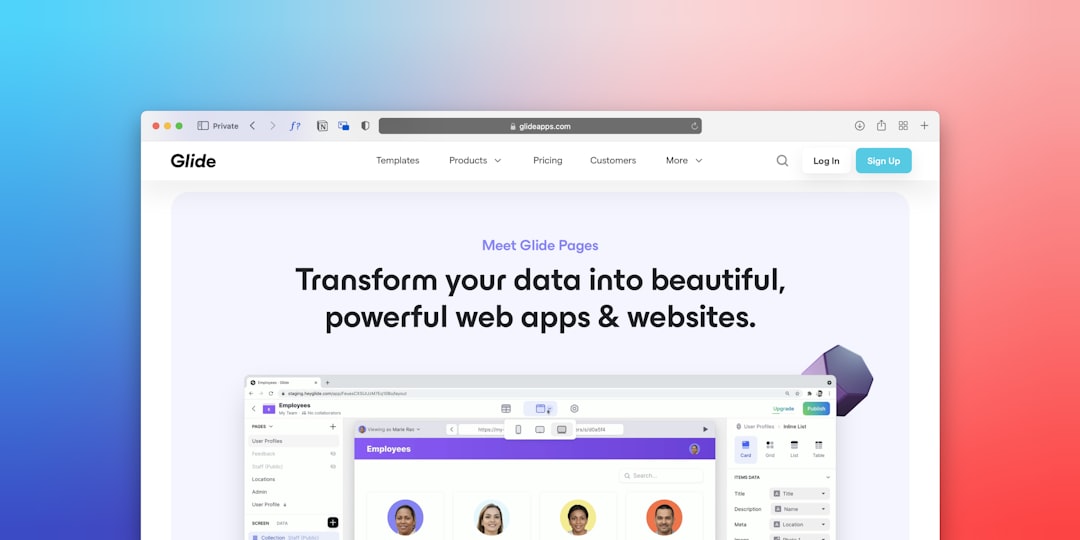
1. Glide
One of the most user-friendly and visually polished no-code tools available, Glide turns Google Sheets or Excel files into sleek mobile or web apps. It’s especially suited for mobile-first experiences and has built up a loyal following among small business owners.
- Features: Real-time updates from Sheets, customizable tabs, user authentication, native mobile behavior.
- Best For: Product catalogs, booking apps, employee directories, service menus.
- Learning Curve: Very low—perfect for beginners.
Glide also offers ready-made templates like Property Listings, Inventory Managers, and Restaurant Menus so business owners can get a jumpstart.
2. AppSheet (by Google)
Acquired by Google, AppSheet brings powerful automation and logic to the world of no-code apps. Though its interface is more data-oriented than design-focused, it’s ideal for power users who want to control exactly how their apps behave.
- Features: Conditional reporting, workflow automation, offline access, camera/image capture capabilities.
- Best For: Field service apps, inspection tools, delivery tracking, and inventory management apps.
- Learning Curve: Moderate—great for Excel masters and Google Sheets power users.
AppSheet stands out for its smart AI integrations and the ability to trigger back-end workflows triggered by user activity within the app.
3. Sheet2Site
Want to turn a spreadsheet into a full customer-facing website? Then Sheet2Site might be your tool of choice. Unlike other platforms that emphasize mobile app creation, Sheet2Site is tailored for fast, public-facing website creation—all driven from a single Google Sheet.
- Features: Responsive websites, image galleries, popups, social media integration.
- Best For: Listings sites (e.g., job boards, digital product libraries, local business directories).
- Learning Curve: Easy—drag-and-drop meets spreadsheet syncing.
Perfect for showcasing digital or physical products, Sheet2Site enables business owners to launch a marketplace or a resource directory in hours.
4. Softr
If Glide is mobile-focused and Sheet2Site is public-facing, Softr carves out the niche of building complete SaaS-like web applications using Airtable as your database. It resembles website builders like Webflow but behaves more like an app platform thanks to dynamic filtering and user account functionality.
- Features: Membership areas, gated content, advanced filtering, user logins, Stripe integration.
- Best For: Membership sites, course platforms, client portals, B2B product displays.
- Learning Curve: Moderate to Intermediate—especially if exploring advanced features.
Softr’s flexibility and Airtable integration appeal strongly to service-based businesses looking to elevate their client experience digitally.
How to Decide Which Platform Fits Your Business
With so many powerful options, it’s essential to evaluate which no-code builder aligns best with your business goals, technical comfort, and the kind of customer experience you want to deliver.
Here’s a quick recommendation breakdown:
- Use Glide if you want a beautiful mobile app quickly using Google Sheets with ease of use as a top priority.
- Use AppSheet if automation, workflow logic, and enterprise-like capabilities matter more than UI.
- Use Sheet2Site if you want a straightforward way to build a complete website showcasing data that updates live from your spreadsheet.
- Use Softr if you’re managing a user-driven web app or membership portal backed by Airtable.
Most platforms offer free tiers, so it’s worth dabbling in each to see which “clicks” with your workflow. Still, each app carries its own strengths:
- Best visual design: Glide
- Best for automation & logic: AppSheet
- Best for static content websites: Sheet2Site
- Best for SaaS-style web apps: Softr
Real-World Success: How Small Biz Owners Are Using These Tools
- A local bakery used Glide to show daily inventory, letting customers reserve pastries in real time.
- A home repair business created a mobile inspection tracker with AppSheet, reducing paperwork and errors.
- An artist collective built a visually rich portfolio site using Sheet2Site, linked directly to their product catalog.
- A business coach launched a gated resource library and booking tool using Softr and Airtable.
Each of these businesses saved on development costs, cut down on manual operations, and delivered a more professional customer experience—all using the humble spreadsheet as a backbone.
Frequently Asked Questions (FAQs)
1. Do I need to know coding to use these platforms?
No, all four platforms are built for non-developers. You only need basic spreadsheet knowledge to get started.
2. Can I monetize the apps or websites I build?
Yes. Platforms like Softr and Glide offer Stripe integrations and membership functionality, allowing monetization options.
3. What if I don’t use Google Sheets?
Many platforms also support Airtable or Excel. For example, Softr is optimized for Airtable, and Glide now supports Excel as well.
4. Are these apps mobile-friendly?
Yes. Glide, AppSheet, and Softr create responsive applications that work across both desktop and mobile devices.
5. What’s the cost?
All four platforms offer free plans with limitations. Paid tiers typically unlock custom domains, branding removal, and advanced features like user authentication and automation.
Conclusion
No-code spreadsheet-to-app builders have become a cornerstone of modern small business operations. Whether launching a mobile ordering app or building a full-featured membership site, tools like Glide, AppSheet, Sheet2Site, and Softr equip entrepreneurs to move fast without technical debt.
By starting where you’re already comfortable—your spreadsheet—you can open up a world of digital possibilities for your customers and your business.