5 BIM Collaboration Software Tools That Integrate With Revit and AutoCAD
Building Information Modeling (BIM) has transformed the architecture, engineering, and construction (AEC) industry by enabling smarter design, better collaboration, and more efficient project delivery. As projects grow in complexity and teams become more distributed, collaboration tools that seamlessly integrate with industry-standard software like Revit and AutoCAD have become essential rather than optional. These tools bridge communication gaps, streamline workflows, and reduce costly errors—ensuring that everyone from architects to contractors stays aligned throughout the project lifecycle.
TLDR: Modern BIM collaboration platforms that integrate with Revit and AutoCAD dramatically improve coordination, communication, and project efficiency. Tools like Autodesk BIM 360, Trimble Connect, Revizto, Navisworks Manage, and BIM Track allow teams to collaborate in real time, manage issues, and coordinate models across disciplines. Each solution offers unique strengths, from cloud-based document control to advanced clash detection and issue tracking. Choosing the right one depends on your project size, industry focus, and collaboration needs.
Below are five powerful BIM collaboration software tools that integrate seamlessly with Revit and AutoCAD, helping teams deliver better projects faster and with fewer surprises.
1. Autodesk BIM 360 (Autodesk Construction Cloud)
Table of Contents
It’s no surprise that Autodesk’s own cloud-based collaboration platform ranks at the top. Autodesk BIM 360, now part of the Autodesk Construction Cloud, is specifically designed to work natively with Revit and AutoCAD.
Because it is built by the same company behind these flagship design tools, integration feels effortless. Design teams can collaborate on live Revit models in real-time using cloud worksharing, eliminating file version conflicts and minimizing data silos.
Key features include:
- Cloud-based document management
- Real-time model collaboration
- Issue tracking and RFIs
- Automated version control
- Construction management tools
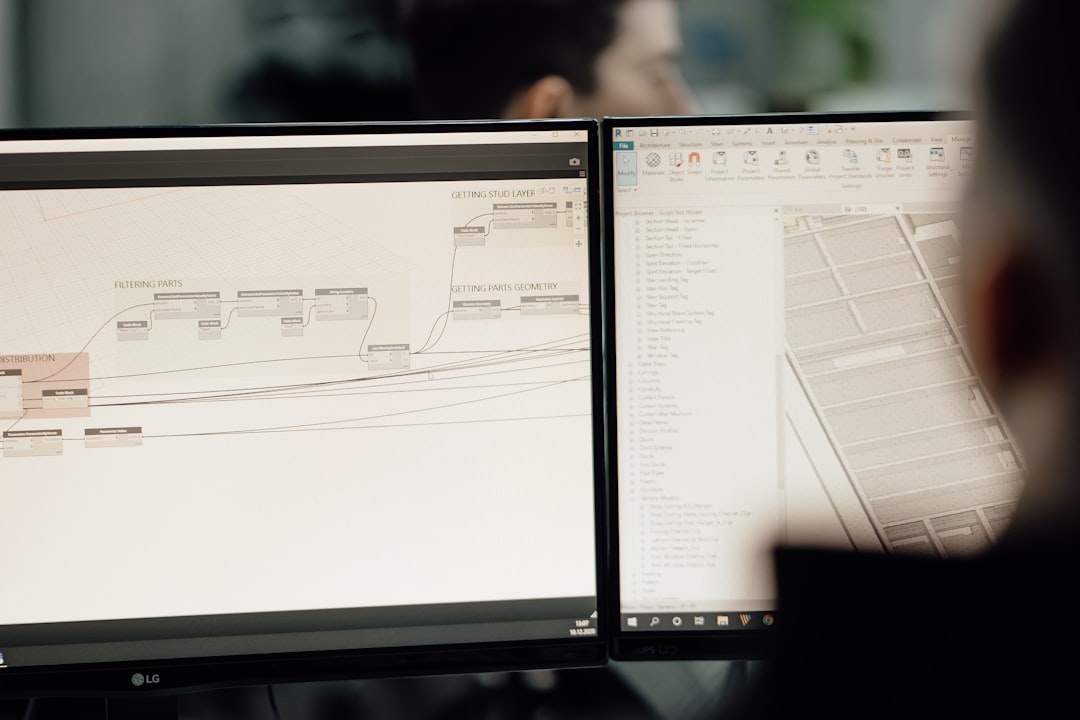
Why it stands out: Teams can co-author Revit models simultaneously from different locations. Changes are synchronized automatically, ensuring all stakeholders are working from the latest version. For firms already invested in Autodesk products, BIM 360 offers a highly streamlined ecosystem.
Best for: Medium to large firms seeking full lifecycle project management—from design through construction—in a unified cloud environment.
2. Trimble Connect
Trimble Connect is a powerful collaboration platform designed to bring together project stakeholders across disciplines. It integrates well with both Revit and AutoCAD, as well as other BIM and CAD tools.
What makes Trimble Connect particularly compelling is its ability to serve as a centralized hub for model aggregation and coordination. Users can upload models from multiple sources and collaborate in a shared cloud workspace.
Core capabilities:
- Model viewing and aggregation
- Issue tracking and commenting
- Open BIM compatibility (IFC support)
- Cloud-based document sharing
- Mobile access for field teams
Why it stands out: Trimble Connect supports open standards like IFC, making it ideal for projects involving varied software ecosystems. This flexibility helps eliminate compatibility headaches and enables smoother coordination between teams using different platforms.
Best for: Multidisciplinary teams that require interoperability between various BIM tools, especially on infrastructure and large-scale commercial projects.
3. Revizto
Revizto has rapidly gained popularity for its intuitive interface and strong issue-tracking capabilities. It integrates directly with Revit and AutoCAD, allowing teams to synchronize models and mark up designs in a highly visual environment.
Unlike traditional coordination tools that can feel technical and complex, Revizto emphasizes usability. Its gamified, 3D environment lets users navigate models much like a video game, making it easier for non-technical stakeholders to engage with BIM data.

Key features:
- Real-time issue tracking
- Clash detection integration
- 2D and 3D model navigation
- Field-ready mobile application
- Centralized communication logs
Why it stands out: Revizto centralizes all project issues into a single dashboard, reducing miscommunication. Teams can assign tasks, track resolution progress, and connect issues directly to model elements.
Best for: Projects that require strong issue management workflows and improved coordination between office and field teams.
4. Navisworks Manage
Navisworks Manage, another Autodesk solution, plays a critical role in BIM coordination—particularly for clash detection and model aggregation. It integrates seamlessly with Revit and handles AutoCAD files with ease.
While not strictly a cloud collaboration platform like BIM 360, Navisworks is widely used for pre-construction coordination meetings. It enables teams to combine models from different disciplines and identify spatial conflicts before construction begins.
Core functions:
- Advanced clash detection
- 4D scheduling simulation
- Model aggregation across formats
- Construction sequencing visualization
- Quantity takeoff support
Why it stands out: Its clash detection engine is among the most powerful in the industry. Detecting conflicts between structural, MEP, and architectural systems before construction can save enormous amounts of time and money.
Best for: Preconstruction teams focused heavily on clash detection, constructability analysis, and sequencing simulations.
5. BIM Track
BIM Track specializes in issue tracking and collaboration while integrating directly with Revit and AutoCAD through plugins. Rather than replacing modeling software, it enhances communication workflows.
It connects teams across various coordination tools, including Navisworks and Tekla, serving as a bridge for issue management across platforms.
Major benefits:
- Centralized issue tracking
- Revit and AutoCAD plugins
- Cloud-based coordination
- Workflow customization
- Integration with popular clash detection tools
Why it stands out: BIM Track simplifies communication by anchoring discussions directly to model elements. No more scattered emails or forgotten meeting notes—everything stays tied to the model context.
Best for: Teams seeking structured issue management without transitioning fully to an all-in-one construction platform.
Comparison Chart
| Tool | Cloud Based | Clash Detection | Issue Tracking | Open BIM Support | Best Use Case |
|---|---|---|---|---|---|
| Autodesk BIM 360 | Yes | Limited (via integrations) | Yes | Moderate | Full project lifecycle management |
| Trimble Connect | Yes | Basic coordination | Yes | Strong (IFC) | Multiplatform collaboration |
| Revizto | Yes | Yes | Advanced | Moderate | Visual coordination and issue management |
| Navisworks Manage | No (desktop based) | Advanced | Limited | Moderate | Preconstruction clash detection |
| BIM Track | Yes | Via integration | Advanced | Good | Dedicated issue tracking |
How to Choose the Right BIM Collaboration Tool
Selecting the right solution depends largely on your organization’s size, workflow maturity, and project complexity. Consider the following deciding factors:
- Project scale: Large infrastructure projects may require robust aggregation and clash detection tools like Navisworks or Revizto.
- Collaboration model: Remote teams benefit most from cloud-native platforms such as BIM 360 or Trimble Connect.
- Issue management needs: If structured task tracking is your priority, BIM Track or Revizto may be ideal.
- Software ecosystem: Firms deeply embedded in Autodesk products may prefer tools within that ecosystem.
- Interoperability: For mixed software environments, prioritize open BIM support.
Ultimately, the goal is not just integration with Revit and AutoCAD, but meaningful collaboration that reduces errors, enhances communication, and accelerates delivery timelines.
Final Thoughts
As BIM adoption continues to grow, collaboration is becoming the backbone of successful project delivery. Revit and AutoCAD may serve as the foundation for design, but it’s collaboration platforms that unlock their full potential across teams and disciplines.
Whether you need cloud-based document control, advanced clash detection, visual issue tracking, or open BIM coordination, the five tools highlighted above offer proven capabilities to meet modern AEC demands.
The future of construction is connected, coordinated, and collaborative—and with the right BIM software integration, your team can stay ahead of the curve.